What to photograph on move-in day, and how
Updated 2026-10-23
Most tenants take photos on move-in day. Many of those photos turn out to be useless a year later: too dark, too far away, no date anyone trusts, lost somewhere in a chat. Here's how to take photos that still mean something at move-out.
The two shots for every room
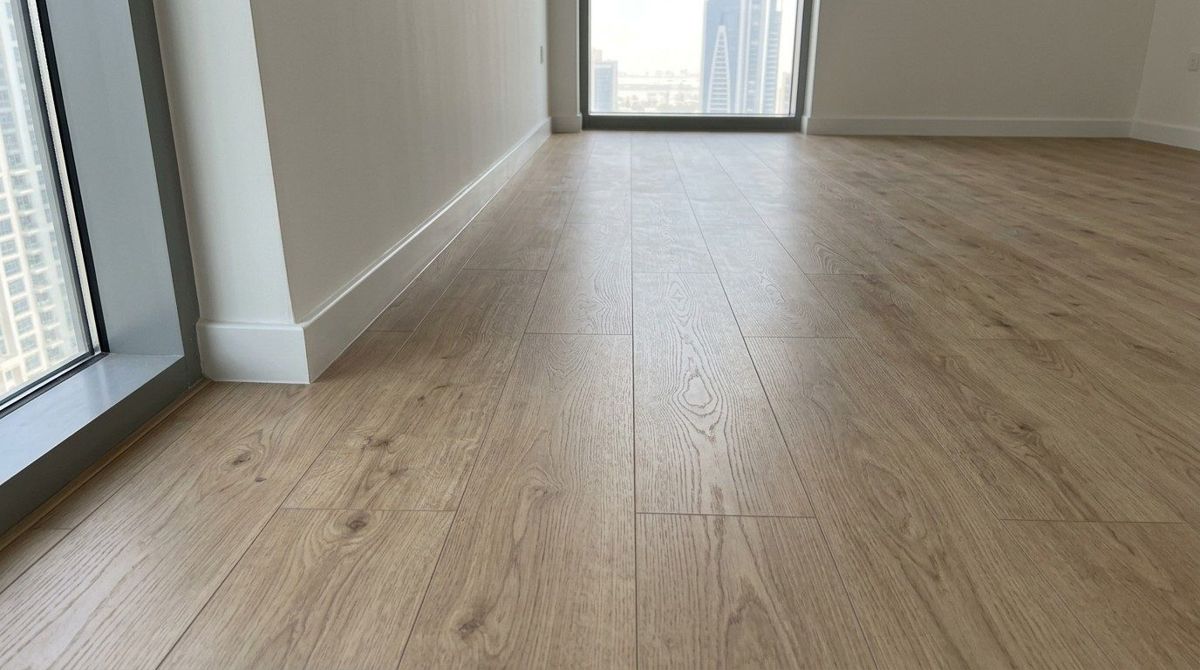
- A wide shot from the doorway, showing the whole room: floor, walls and ceiling.
- A second wide shot from the opposite corner, so nothing is hidden behind the door.
Close-ups for anything that isn't perfect
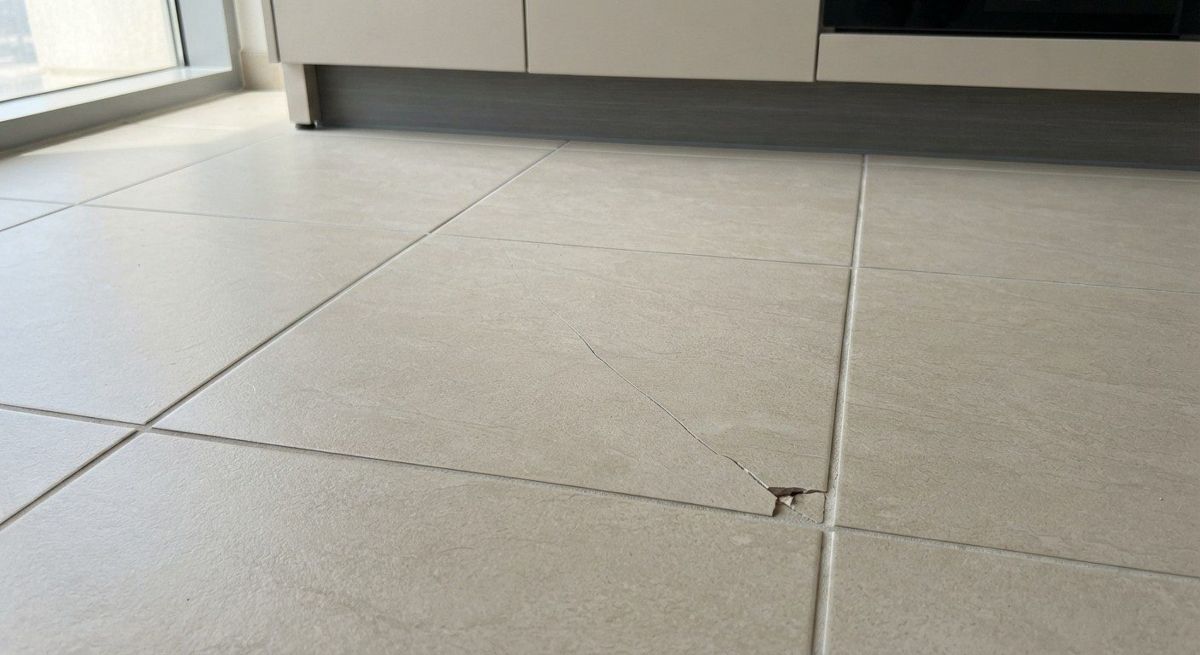
- Get close enough that the problem fills most of the photo.
- Take one more from further back, so it's clear where in the room it is.
- Put something for scale next to small marks: a coin, a key or your hand.
- Write a one-line note: what it is, where, and roughly how big.
Easy to miss
- Inside cabinets, the oven and under the kitchen sink.
- Grout and silicone in the shower and around the bath.
- Floor corners and skirting behind doors.
- AC vents and the ceiling below each indoor unit.
- Balcony floor and railing.
- Meter readings, and the keys and cards you were given.
Make the photos count as evidence
- Use good light: open the blinds and turn on every light. Avoid flash on shiny tiles.
- Keep the originals. Chat apps such as WhatsApp compress photos and usually strip the details stored in the file, including when it was taken, unless you send them as a document.
- A date stored in a photo file can be edited, so a date recorded by someone else (a server, an email you sent the landlord) carries more weight than the file's own date.
- Put everything in one place, organised by room, not scattered across your camera roll.
- Share a copy with the landlord or agent soon after moving in, so they've seen it too.
- Photograph the unit only: keep people, ID cards and private papers out of shot.
Doing it with AptProof
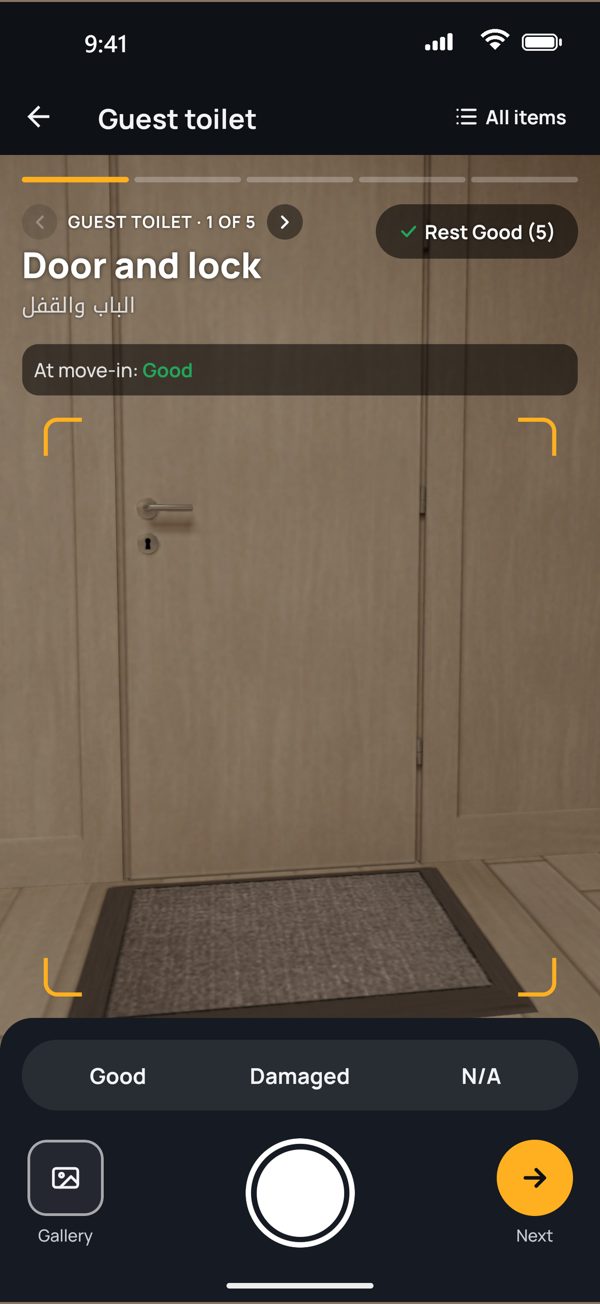
AptProof's camera takes you through each room one item at a time, so you don't skip anything. Every photo is fingerprinted, and our server records when it received it, so the date doesn't depend on your phone's clock. Each photo in the report has a QR code anyone can scan to check it hasn't been changed. It's free, and it also works in your browser.